Skip to content
Copilot app Enablement Center

Security & admin

Set policy, review configurations and keep sessions safe.

A day in the life

9:00You review new or changed .github/github-app.yml files from the past week.
10:30A session runs /security-review on a sensitive service before a release.
13:00You approve a connector request with read-only scope and record the decision.
14:30You narrow a cloud automation's tools before it goes live.
16:00You move the next ring of users from the pilot cohort to general availability.

Use cases

Run a security review before release

Find high-confidence vulnerabilities in changed code.

/security-review: Public preview

/security-review: The /security-review command is in public preview.

Prompt · Interactive mode Set a repository to open
/security-review

Outcome: Findings with severity, confidence and suggested fixes.

Moves:Issues caught before merge

Audit repository configurations

Check every github-app.yml for risky scripts.

Repository configPlan mode
Prompt · Plan mode Set a repository to open
Review .github/github-app.yml in this repository. For each script, explain what it runs, what network and credential access it needs, and whether it downloads and executes remote code. Flag anything that should require security sign-off and propose safer alternatives.

Outcome: A risk review of every script that runs with GitHub credentials.

Moves:Issues caught before merge

Choose sandbox defaults per repository

Decide where local sandboxing or cloud sandboxes fit.

Local sandboxCloud sandbox: Public preview

Cloud sandbox: Cloud sandboxes are in public preview, and an admin may need to enable them for your organization or enterprise.

Prompt · Interactive mode Set a repository to open
Based on this repository's build, test and dev server needs, recommend whether sessions should default to a local sandbox or a cloud sandbox. List the network hosts and file paths the agent needs, and anything that should stay blocked.

Outcome: A documented sandbox default with a network allow list.

Moves:Issues caught before merge

Narrow cloud automation tools

Give each automation the least access it needs.

Automations
Prompt · Interactive mode Set a repository to open
Review this automation prompt and list the minimum tools it needs to succeed. Mark each tool as read or write, explain why it is needed, and suggest how to split the automation if write access is only needed for one step.

<paste automation prompt>

Outcome: A least-privilege tool list for every automation you approve.

Moves:Issues caught before merge

Review connector and MCP server requests

Assess what data a requested integration can read and change before anyone authorizes it.

Connectors: Availability variesPlan mode

Connectors: Connectors may not be on for your account yet. If they are not in the Customize view, add the service as an MCP server where your admin allows it, or attach an export.

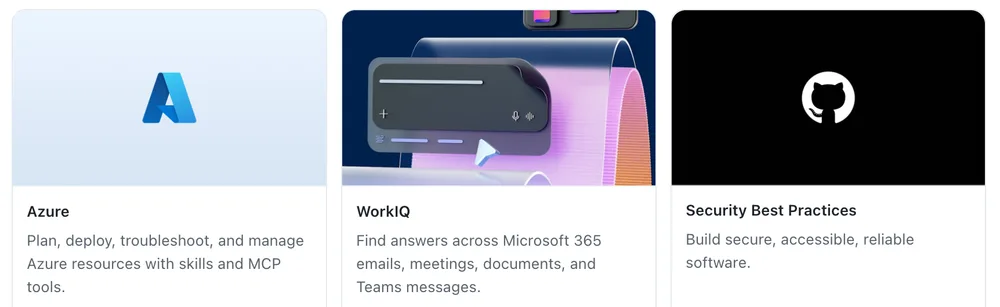
Three plugin cards from the Featured section of Customize: Azure, WorkIQ for answers across Microsoft 365 emails, meetings, documents and Teams messages, and Security Best Practices.
Featured plugins in Customize, including WorkIQ for Microsoft 365 context. Real app component rendered with test data.
  1. Approved servers go in allowedMcpServers in your enterprise managed-settings.json. Blocked servers go in deniedMcpServers, which always wins.
  2. The "MCP servers in Copilot" and "Restrict MCP access to registry servers" policies also apply to the app.
Prompt · Plan mode Set a repository to open
A team wants to add the <name> connector. Summarize what data it can read and write, how it authenticates, where data leaves our network and what a misused prompt could do with it. Recommend approve, approve with limits or reject.

Outcome: A consistent review record for every integration request.

Moves:Toil hours

Fix vulnerable dependencies

Upgrade flagged packages with tests passing.

Autopilot modeCloud sandbox: Public preview

Cloud sandbox: Cloud sandboxes are in public preview, and an admin may need to enable them for your organization or enterprise.

Prompt · Autopilot mode Set a repository to open
Find dependencies in this repository with known vulnerabilities. Upgrade each to the lowest fixed version, run the test suite after each upgrade, and stop to report if an upgrade needs code changes beyond a few lines.

Outcome: Patched dependencies with green tests, or a clear report on the hard ones.
Moves:Vulnerability fix time

Pitfalls to avoid

  • Require code owner review on .github/github-app.yml, the same as CI workflows.
  • Write down who approves write access for cloud automations before the first request arrives.
  • Never embed secrets in prompts, deep links or automation definitions.