Turn feedback into specs, prototypes and release notes without waiting on an engineering slot.
A day in the life
8:30Your daily triage automation has labeled and summarized overnight issues.
10:00In a Chat, you turn customer interview notes into a one-page spec. Two child chats sort the week's feedback and research the problem space while you write.
11:00You start a Plan mode session to prototype the UI change and preview it in the integrated browser.
15:00The prototype link goes into the spec so engineers can react to something real.
17:00A weekly automation drafts the status update from merged PRs and closed issues.
Use cases
Draft a spec from raw notes
Use a Chat for thinking work that does not need a branch or a working tree.
Turn the notes below into a one-page product spec with these sections: problem, target users, goals, non-goals, proposed solution, success metrics, risks, and open questions. Flag any claim in the notes that lacks evidence.

<paste notes here>
Outcome: A structured spec draft with gaps called out.
Connectors: Connectors may not be on for your account yet. If they are not in the Customize view, add the service as an MCP server where your admin allows it, or attach an export.
Office canvases: The Word, Excel and PowerPoint canvases may not be on for your account yet. If they are not in the Canvas view in Customize, ask the agent to write the .docx, .xlsx or .pptx file with a script and open it in Office.
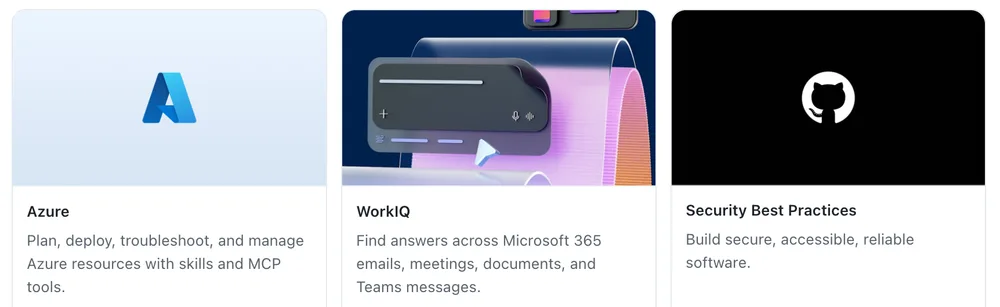
Featured plugins in Customize, including WorkIQ for Microsoft 365 context. Real app component rendered with test data.
Using the connected work data source, collect the last two weeks of discussion about <topic> from our team channel and meeting notes. Summarize decisions, open questions and customer evidence with names removed. Then draft a one-page spec as a Word document and a five-slide summary deck. Show me the outline first.
Outcome: A spec and deck grounded in what the team discussed.
Build a quick prototype of the following change so I can try it in the browser: <describe the change>. Keep it on this branch only, favor speed over polish and use fake data where real data would slow you down. Start the dev server when done, open the page in the browser canvas and list what is stubbed.
Outcome: A running prototype on its own branch that you can share in a review or link from a spec.
Review issues opened in the last 24 hours. For each one, suggest a label from our existing labels, flag likely duplicates with links, and note any that are missing reproduction steps. End with a three-line summary of themes.
Outcome: A triage digest every morning and a cleaner backlog.
Pull feedback from issues, discussions and connected channels into ranked themes, then file what is new.
Plan modeMy workConnectors: Availability varies
Connectors: Connectors may not be on for your account yet. If they are not in the Customize view, add the service as an MCP server where your admin allows it, or attach an export.
Run it as a weekly automation once the output is useful. Give the automation only the tools it needs.
Pair it with the daily issue triage automation, which handles labels and duplicates on new issues.
Collect feedback from the last 30 days: open issues labeled feedback, repository discussions and <connected channel, if approved>. Remove customer and personal names. Group items into themes with a count, two representative quotes with links and a suggested next step. Match each theme to an existing issue where one exists. Show me the table, then open issues only for the themes I approve.
Outcome: A ranked theme table for planning, and new issues only where nothing was tracked.
Office canvases: The Word, Excel and PowerPoint canvases may not be on for your account yet. If they are not in the Canvas view in Customize, ask the agent to write the .docx, .xlsx or .pptx file with a script and open it in Office.
Start from a chat, since none of this needs a repository.
Use test or anonymized feedback until your data handling is approved.
Review each child chat on its own before the deck pulls from it.
I have a launch review on Friday. Start three child chats that run at the same time. (1) Triage the attached feedback export into themes with counts and the top five issues. (2) Research how teams in our space describe <problem>, with cited sources. (3) Draft a six-slide review deck outline. When the first two finish, fold their findings into the deck and show me one summary with links to all three.
Outcome: Triage, research and a deck draft ready together, instead of one after another.
Answer a product question from a usage export or survey CSV without waiting for an analyst.
ChatsOffice canvases: Availability varies
Office canvases: The Word, Excel and PowerPoint canvases may not be on for your account yet. If they are not in the Canvas view in Customize, ask the agent to write the .docx, .xlsx or .pptx file with a script and open it in Office.
Remove customer identifiers from the export before you attach it.
For a source the team queries often, set up a shared data-question project instead. See the Business & operations role.
Open the attached CSV in an Excel canvas. It is <describe the data, for example weekly active users by feature and plan>. Answer: <your question>. Show the formulas or pivot you used, chart the result, and tell me which caveats in the data could change the answer.
Outcome: A worked answer with a chart and the caveats you need before you quote it.
Go from spec and data to a reviewed deck, with speaker notes and a critique pass.
Plan modeOffice canvases: Availability variesRubber duck agent
Office canvases: The Word, Excel and PowerPoint canvases may not be on for your account yet. If they are not in the Canvas view in Customize, ask the agent to write the .docx, .xlsx or .pptx file with a script and open it in Office.
Ask for the outline first. Rewriting an outline costs less than reworking a finished deck.
Create a PowerPoint deck for <audience> about <topic> from the spec and data below. Use 8 slides or fewer, one message per slide, with the message as the slide title. Add speaker notes. Then review the deck as a skeptical <audience member>: list weak claims, missing data and slides to cut, and fix them.

<paste or attach spec and data>
Outcome: A tight deck with speaker notes that has already survived one round of critique.
From the meeting notes below, propose a list of issues to create. Use the feature request template for new work and the bug template for defects. Show me the list for approval before creating anything.

<paste notes here>
Outcome: Template-compliant issues created after your review.
Summarize the pull requests merged into main since the last release tag. Group them into New, Improved, and Fixed. Write each entry for customers rather than engineers, and skip internal refactors and test-only changes.
Outcome: Customer-ready release notes you can edit and publish.
Draft this week's team status update. Include shipped work from merged pull requests, notable issues opened or closed, anything blocked for more than five days, and next week's focus based on open milestones. Keep it under 250 words.
Outcome: A draft update grounded in what happened, ready for you to edit.